

Changing the Font Size in WordPress

It may seem like something very simple to do, but beginners often find changing the font size in WordPress to be a bit confusing. You don’t have to be confused any longer. Here are quick and easy instructions for changing the font size for your posts and pages. Paragraph Headings Within your visual editor, you will be able to change the size of the font with the “Paragraph” dropdown menu. From this menu, you can change the size with the heading settings. This is the easiest way to create a different size text when creating a post or a page …
Understanding WordPress Theme Framework and Whether You Should Use It

Beginners often don’t understand what WordPress theme framework is, but they should. Often, they understand what a theme is and how to install it, but that’s about as far as it goes. A full understanding of theme framework is important. Once you understand what this is, you will be able to compare WordPress theme framework to ensure you get the most out of your blog or website. What is a WordPress Theme Framework? This term refers to the code library used to facilitate a theme’s developments. Back at the beginning, there were many issues with the way themes were developed …
What Should You Do Before You Change Your WordPress Blog Theme?

Are you considering changing to a new theme for your WordPress blog? Do you think it’s just as easy as installing and activating the new theme? If you do, it’s not exactly that easy. Here are a few things you want to make sure you take are of before you change your WordPress theme. Perform a Full Backup Of course, the first thing you want to do before you install a new theme is back everything up. You never know what’s going to happen and it’s always better to be safe than sorry. Make sure you backup your entire WordPress …
How to Edit Images in WordPress
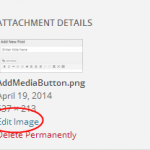
Basic image editing can be done within WordPress. You no longer have to crop, flip and rotate your images before you upload them to your WordPress blog. These features can all be done in WordPress without much issue. Here’s a quick guide to editing images in WordPress. Editing an Image Within a WordPress Post When you create a new WordPress Post, you may need to edit an image within the post. This can easily be done from the “Add Media” area used to insert the image. Once you’ve uploaded or selected the right image, you will see the following option: …
WordPress Beginner’s Most Frequently Asked Questions – Part Two

In continuation from our recent post about Frequently Asked Questions from WordPress Beginners, this post will cover a few more of the questions you might encounter. You can find Part One here: WordPress Beginner’s Most Frequently Asked Questions – Part One. Here are a few more questions and the answers you’ve been looking for. What is a Sticky Post within WordPress? As you create blog posts, you may notice that you can create a “Sticky Post.” This is a post that will show up first on your blog feed instead of in chronological order. There are many benefits to using …
WordPress Beginner’s Most Frequently Asked Questions – Part One

WordPress beginners often have many questions and they want answers. Once you’ve installed WordPress, what do you do now and what do you do when you run into a road block? Here are some of the most comment questions asked by those new to WordPress and the answers to these questions. Why Can’t I See the Plugins Menu in My Dashboard? Often, beginners to WordPress don’t understand why they cannot see the plugins menu within their WordPress dashboard. If you face this issue, you’re using the free WordPress.com platform instead of the self-hosted WordPress.org. The free WordPress.com doesn’t provide the …
Adding a PayPal Donate Button to your WordPress Blog

One of the ways you can help supplement the upkeep of your blog is through “PayPal donations” and that requires a donate button. Understanding how to add this button to your WordPress website can help in many ways. Whether you’re running a non-profit blog or you just want to allow your followers to support your project, you can use the PayPal donation button. How to Create Your PayPal Donate Button You will need to have a PayPal Account to create a PayPal Donate button. If you don’t’ have one, go to http://www.PayPal.com and create your account. You will also need …
How to Paste Snippets into WordPress From the Web

If you’re not familiar with PHP, pasting snippets of code into the functions.php file of your theme can be a bit confusing. Sometimes this is a necessary process to customize your WordPress blog for your specific needs. Without the right knowledge of PHP, you may break your website. If that’s why you are reading this blog post, you’re not alone. The functions.php file of your theme can be found in your cPanel at: /wp-content/themes/themename/ It’s not the same as the functions.php file found in the /wp-includes/ folder. Understanding the basics of PHP Pasting snippets of code into WordPress starts with …
A Quick Beginner’s Guide to Installing a Plugin in WordPress

If you’re using the WordPress.org version of WordPress, you can use both free and premium plugins. These plugins will allow you get the most out of your WordPress blog and website. Those not able to find the “Plugins” section in WordPress are using the WordPress.com version, which doesn’t utilize plugins. Using plugins is one of the most powerful ways to customize the look and function of your website. Plugins allow you to create better security, SEO, social media sharing and so much more. No matter what you want to accomplish, WordPress probably has a plugin for it. Here are a …

Can you Turn off Comments for your WordPress Blog?
Flipping the switch and turning off comments on your WordPress blog is very easy. This can be helpful if you want to eliminate comments on your entire blog or just on certain pages and posts. Before you shut off the comments on your blog, you may want to consider the fact that once you do this, you won’t be able to create any type of discussion on your WordPress blog. Allowing comments can help with the SEO of your WordPress site and more. However, not all websites needs comments. How to Turn off All Comments in WordPress If you want …