

Can You Install All Your Favorite WordPress Plugins at Once?

Whenever you create a new WordPress blog or website, you have to go through the process of installing all your favorite plugins, again. This might have you wondering if there’s an easier way. In this WordPress tutorial, we will show you how to bulk install all your WordPress plugins from your cPanel and with a plugin. How to Bulk Install Your Plugins from cPanel If you use cPanel hosting, you can copy your plugin folders from one WordPress website to another. You will first need to install a new copy of WordPress on your new domain name and the domains …
Is there a Way to Activate and Deactivate your Plugins from the Admin Bar in WordPress?
Maybe you’re in the developmental phase of your website and you need to be able to activate and deactivate WordPress plugins quickly. This can be helpful, in some cases and it can be done quickly with the right plugin. Here’s how you can activate and deactivate your plugins quickly in WordPress. Plugin Toggle Will do the Trick Start by downloading and installing the Plugin Toggle plugin for WordPress. This will allow you to add an option to deactivate or activate your plugins to the admin toolbar. Once the plugin is activated, you will have access to all of your plugins …
A Beginner’s Guide to Installing a Theme in WordPress

Using WordPress for your blogging needs is a great choice. However, this content management system will require that you learn how to use different functions within the dashboard. One of those functions is the theme function. This is found by going to Appearance >> Themes. Here you can upload or search for a new theme and activate it. In this WordPress tutorial, we will show you how to install a new theme for your WordPress blog. Uploading a New WordPress Theme If you searched Google and found the perfect theme, you may have a .zip folder for the theme you …
Can you Prevent Accidental Publishing of a WordPress Blog Post or Page?

Often, we are asked the question, “Are You Sure?” when installing new software or doing anything on our computers. However, WordPress users don’t get asked this question when publishing a new blog post or page. This can lead to accidentally publishing a post that isn’t ready or you didn’t mean to make public. However, there’s a way to avoid this issues, which can result in other issues if you’re using an automatic tool for sharing your WordPress posts with different social sites. In this post, we will provide you with a short WordPress Tutorial to create an option that will …
Can Google Maps be Added to a WordPress Blog?
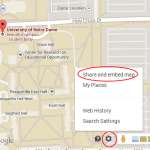
Sometimes, adding Google Maps to your WordPress blog can be very beneficial. It can make it very easy for visitors to find your location and get directions. This might be the difference between a new customer and your competition snaking them away. Adding Google Maps to your WordPress blog is very easy. It can be done manually or you can use a plugin to make this happen. In this WordPress tutorial, we will show you how to add Google Maps to WordPress in both ways. Adding Google Maps to WordPress Manually The first thing you will need to do is …
An Easy Guide for Adding a Pinterest Button Over Your WordPress Images

Pinterest is one of the most powerful social media sites on the planet. It allows users to share images by pinning them to the boards on their profile. Other users can find the pictures and re-pin them, as well. Not only does this social networking site provide plenty of SEO benefits, but it can also help build your traffic. Adding a pin-it button over your WordPress images can make it much easier for users to share your pictures on Pinterest. If you want to increase your pins, traffic and SEO, you need to add this button for your users. Here’s …
A Fast and Easy Way to Get WordPress Site System Information
When you’re working with WordPress, you may need to get your system information quickly. Usually this is the case when you need support from your hosting company or from one of the support forums. It can help somebody else answer your question if they know the PHP version installed on your server, the limits for file uploads and other settings. Getting this information can be done very quickly and can help you get the support you need to fix some of the most common errors found in WordPress. In this WordPress tutorial we will show you how to quickly get …
How to Monetize Your WordPress Blog

Have you started a WordPress blog and you’re having all kinds of fun posting, but you want to make a little cash from it? Did you know there are numerous ways you can monetize your WordPress blog? In this post, we are going to cover multiple ways to monetize your WordPress blog. What are Your Choices? The easiest ways to monetize your WordPress blog include: Google AdSense Amazon Affiliates Commission Junction ClickBank You can use a combination of these four methods of monetization or just choose one. Monetizing Your WordPress Blog with Google AdSense Google AdSense allows you to insert …
Can you Insert Ads into Your WordPress Post?
The simple answer to this question is yes, but there’s an easy way to do this and a not so easy way. The easy way involves using the right WordPress plugin. If you’re looking for an easy way to insert Google AdSense, Amazon Product Banners or any other type of advertising within the content of your WordPress posts, we are here to help. Here’s a quick WordPress tutorial on inserting ads into your WordPress post. Which Plugin is Right for the Job? Using a plugin to insert ads into your WordPress content is far easier than trying to adjust the …
A Quick Guide for Choosing the Best WordPress Plugins for your Blog
Using WordPress plugins is much like using an app on your smartphone. It seems as if any task you want to perform in WordPress has a plugin that makes it easier. When you start searching for these plugins, you need to know how to find the right one for your specific needs. Here are a few tips and tricks to help you find the WordPress plugin that will fit best with your task. Define Your Needs/Wants Before you start searching for plugins, you want to define the needs/wants you’re hoping to get out of the plugin. For example, maybe you …
