

What can you Expect with WordPress 4.2?

WordPress is bringing out another major release with WordPress 4.2. It will be the first major release for 2015 and is expected to come out at the end of April. Many new things will be coming. Here’s what you can expect. WordPress Beta Tester Plugin If you want to test out new WordPress releases before they become live, you can use the WordPress Beta Tester Plugin. This plugin will allow you to get involved with the Beta testing and will let you upgrade to the newest Beta version. Once you install the plugin, you can access it from the Tools>>Beta …
Can you Download Your Full Media Library in WordPress?
As you upload images, videos, music files and other media files, you create a media library in WordPress. Sometimes, you may need to download items from the library, which is pretty easy to do. However, downloading your entire media library can be tedious if you have to do it one item at a time. Here’s an easier way to download your full medial library in WordPress. Using the downML Plugin for WordPress You can try to figure out how to download your entire library with a FTP client, but this isn’t easy for beginners. The easiest way to download your …
How can you Make WordPress Client-Friendly?
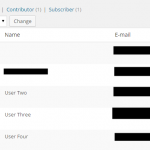
Using the backend of WordPress is great for veterans. However, if you’re new to this powerful CMS, there is quite a learning curve. Most average users will spend their time in the posts and pages section. Without knowledge of the other sections, a user may switch themes, disable a plugin or do something else without even realizing it. Making WordPress more client-friendly can keep the unnecessary mistakes to a minimum. Here are a few ways to make WordPress easier for your users. Set Roles with Restrictions The first step to making WordPress easier for your users and giving yourself a …
How can you Limit WordPress Login Access by IP Address?

Have you ever wondered how to go about limiting the access to your WordPress login page? Limiting access by IP address provides a very strong level of security. Here’s a look at how you can limit access to your login page and keep the hackers out. Coding The Changes You don’t have to be an expert in coding to handle the tiny bit of coding you will need to limit login access by IP address in WordPress. This is done by first accessing the .htaccess configuration file, which you should first back up before making any changes. Once you have …
Which Free WordPress Plugins are the Best for Photo Galleries?

Creating a photo gallery can help to add a new element to your WordPress website. There are a number of great gallery plugins and they have come quite a long way over the past few years. A gallery plugin used to just display static images, but now they can do much more. You can use the plugin to create sliders, for social sharing, display animated effects and so much more. If you want to create a gallery for your WordPress website, choose from one of these free plugins. Gmedia Gallery A very powerful plugin with 13 different styles, the Gmedia …
Can you Disable the Full Height Post Editor in WordPress?
The newer versions of WordPress take away the scroll bar and create a full-height post editor in WordPress. However, some users don’t care for this and want the scroll bar back. It’s possible to disable the full-height post editor in WordPress. Since this was introduced in WordPress 4.0, if you are using an older version, it won’t apply to you. However, you should update your version of WordPress, as it’s always smart to use the most recent version. When you write a post in WordPress 4.0, you will notice the height of the post editor will adjust and you won’t …
What Unique Things can you do with WordPress Sticky Posts?

You may know that you can feature posts in WordPress by using the sticky post option. However, there’s more to sticky posts than just featuring a specific post on your website. Here are a few very interesting things you can do with sticky posts in WordPress. Use Sticky Posts Just in One Category If you don’t want to use a post as a sticky post for your entire WordPress blog, you can use it as a sticky post in just the category. This is done with the plugin called Category Sticky Post. Once you download the plugin, you can simply …
Which Contact Form Plugins are the Top Choices for WordPress?

A contact form is a very important part of your website. Not only does it provide an easy way for people to contact you, but it also provides some SEO benefit. Adding a contact form to your WordPress website is very easy and there are plenty of plugins to choose from. Here’s a look at a few of the top contact form plugins you can use for your WordPress website. Gravity Forms Maybe the best and certainly one of the most popular, Gravity Forms is a great choice for your contact form and other forms for your WordPress website. It’s …
How can you Add Lazy Loading in WordPress for your Videos?

Written content is important, but videos can elevate your website and blog to another level. Of course, there are issues with embedding videos within blog posts and on website pages. They can slow down your website load times, which can hurt your SEO and your conversions. However, if you use WordPress, you can use the right plugin to ensure your page speed isn’t slowed down. Here’s how you can use videos on your WordPress website without sacrificing load time. Using the Lazy Load for Videos Plugin for WordPress You may not understand what lazy loading is all about. It works …
Can you Add a Music Player to the Widgets on WordPress?
Adding music to your website may provide a better user experience. It’s not very difficult to do within WordPress and you can easily add a music player widget to your site with the right plugin. WordPress has become a very popular choice for musicians, podcasters, bloggers and many other website owners. With all the tools provided, it just makes sense, and now with the ability to add a music player, WordPress is even more appealing. Using the Simple Music Widget Plugin for Google When you add the Simple Music Widget Plugin for WordPress to your website, you will be able …
