

How can you Show Before and After Pictures on your WordPress Website?

Before and after pictures can be very powerful. Whether showing weight loss, muscle gain, a remodeling project or anything else, showing what something looked like and how you have made it better speaks to people. One of the easiest ways to create before and after images is with Photoshop. However, this isn’t an option for everybody and it can be quite expensive if you don’t already own Photoshop. Instead, you can use an interactive slide to show before and after images in WordPress. This will not only show off your pictures, but will also allow you to do so without …
How can you Add Interactive Maps to Your WordPress Website?

Since WordPress is often used by travelers and travel bloggers, an interactive map can be very helpful. Whether you’re planning a trip and want to show where you are going or you want to show where you already went, adding interactive maps can be very helpful. Using the Nomad World Map Plugin for WordPress Before you do anything else, you will need to install and activate the Nomad World Map Plugin for WordPress. This plugin will allow you to create a custom travel map for any type of trip. Once you activate this plugin, you will have a new menu …
Can you Unblock the Limit Login Attempts for your WordPress Website?
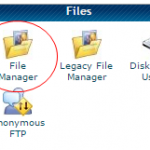
Many experts will tell you to install the WordPress plugin called, Limit Login Attempts. This plugin helps you keep out hackers, but it can lock you out if you enter the wrong password too many times. However, there is a way around this. Here’s how you can unblock the limit login attempts plugin, if necessary. The File Manager Method One of the fastest and easiest ways to is to use your cPanel File Manager and delete the Limit Login Attempts plugin from your WordPress website. Once you log into your hosting cPanel, you will need to find the “Files” section. …
Can You Make a YouTube Video Your Background in WordPress?

A new thing many are doing with their WordPress website is using a YouTube video for the background. This is most common on landing pages. With the right moving background, you can grab the attention of visitors very quickly. Here is how you can make a YouTube video your background in WordPress. Using the mb.YtPlayer for background videos Plugin for WordPress When you want to make a YouTube video your background, you will need to download and install the mb.YTPlayer for background videos plugin for WordPress. Once activated, you can set up the plugin by going to Settings>>mb.YTPlayer. This will …
Can you Keep Spam Comments at Bay with Cookies in WordPress?

Spam comments are a huge problem for some WordPress users. As your site grows, spamming programs will find you and start to target your site with unwanted comments. There are some great ways to block spam including the Akismet plugin and adding a CAPTCHA plugin to your site. However, these are not the only ways to block spam. You can also do it through Cookies. Using the Cookies for Comments WordPress Plugin The Cookies for Comments WordPress Plugin can help eliminate spam comments from your WordPress website. Install and activate this plugin and it will work right out of the …
Can you Get Email Alerts from WordPress for 404 Errors?

Fixing any 404 Errors may be very important for your website. They can cause a concern, especially if you recently moved your website from one domain to another. These errors can affect the experience of your users and the performance of your website on search engines. Getting these errors fixed doesn’t have to require hours of searching through your pages or traffic logs to find the errors. With the right WordPress plugin, you can be alerted anytime there is a 404 Error associated with your website. Using the 404 Notifier Plugin for WordPress The 404 Notifier WordPress Plugin will log …
Can you Batch and Delete Spam Comments in WordPress?

Have you received a number of spam comments on your WordPress website, even with plugins to help keep it to a minimum? These types of comments can become very annoying and it can be very time consuming to delete them. However, there is a way to batch and delete all your spam comments. It works much like an email program with a spam folder and a filter. Here is how you can get rid of spam comments in WordPress faster. Start with the Right Spam Plugins By adding a CAPTCHA plugin and using the Akismet plugin, you can block the …
Can you Add Resizable Text in WordPress for Your Visitors?
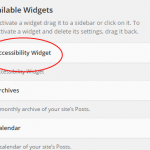
Maybe you’ve seen the buttons on other websites giving visitors the ability to make the font larger or smaller. This is a helpful feature and many visitors appreciate it. Sure, anybody can increase the font size by holding down CTRL and press then + key, but not everybody knows that. Here’s how you can add the resizable text option to your WordPress website. Use the Accessibility Widget Plugin to Add Resizable Text in WordPress The Accessibility Widget Plugin will give you the right tool for the job. Once you’ve activated the plugin you will have a new widget found within …
Can you Add CAPTCHA to the WordPress Login Screen?
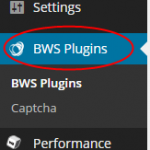
Adding CAPTCHA to your WordPress website can help keep out the spam registrations. These can be a big pain if you don’t have a way to keep them out. Spam bots will create logins so they can post spam comments, which can make your site quality drop. One way to keep this from happening is by adding a CAPTCHA to the login screen. Plugins for Adding CAPTCHA to your WordPress Website There are a number of plugins you can use for adding CAPTCHA to the WordPress login screen. Two of the best choices are Better WordPress reCAPTCHA and CAPTCHA. Both …

Can you Override the Comment Deadline Found in WordPress?
Often, WordPress site owners will disable comments on old blog post to reduce the amount of spam they receive. The option to do this is found with the Settings>>Discussion section of your WordPress dashboard. However, this does raise an issue when it comes to allowing users to post comments on older posts because they won’t be able to post a comment at all. There is a way to keep comments open on some posts, while turning them off on others. Disabling Comments on Older WordPress Blog Posts When you start to receive a ton of spam comments on older posts, …