

Can you Easily Replace Media and Image Files on your WordPress Website?
Sometimes it’s important to update media files or images for your WordPress website. When this is the case, you need an easy way to replace them without interrupting your website. It can seem tedious to go through each image, upload a new file, rename it and put it in the post where it needs to go. However, this isn’t the best way to replace a media file or an image in WordPress. Here’s a better way. Using the Enable Media Replace Plugin for WordPress The Enable Media Replace Plugin for WordPress is the easy answer to this issue. This plugin …
Is it Okay to Install WordPress Plugins Never Tested with Your Current Version?

Many WordPress users don’t know whether they should use a plugin with the warning saying it hasn’t been tested with the current version of WordPress. This is an important issue, as it could cause issues on your website, if it doesn’t work with your version of WordPress. Here is what you should know about using untested WordPress plugins. Where does the Not Tested Information Come From? WordPress provides the largest repository of free and open source plugins within the WordPress Plugin Repository. When an author of a plugin submits it to the repository, they have to submit a “readme” file. …
Can you Block a WordPress User Account Without Deleting the Account?

Sometimes, it’s necessary to block a WordPress user from logging into the site. This isn’t an easy decision, but if you have a good reason to block them, you need to know how to do this. Here’s how you can block a WordPress user account without deleting it. Using the Account Locker Lite Plugin for WordPress With the Account Locker Lite Plugin, you can actually lock somebody out of your site without deleting their account. You will first need to install and activate the plugin. After you have installed the plugin and activated it, you will have a new “Account …
Can you Use Drop Caps on Your WordPress Blog?

WordPress provides a ton of flexibility and there isn’t much you can’t do. There’s a plugin for just about anything and you can even use a plugin for drop caps. What are Drop Caps? Drop caps have been around for a very long time. A drop cap is basically the first letter of a paragraph or page, which is made much larger than the rest of the text. This style is use in printed books, newspapers and magazines quite often. It can be used with blog posts to add a little more style. Here’s how you can use drop caps …
What can you do to Engage Readers on WordPress with Post Reactions?

When you start thinking about engaging your readers, there are some things you can do to help. WordPress comes packed with plenty of plugins that will help you engage your readers. One of the ways to do this is with post reactions, which allow the reader to rate the post after reading it. This is found on the Blogger platform, so when users switch from Blogger to WordPress, they want to continue using post reactions. However, even for regular WordPress users, post reactions can help you engage readers. Here is how it works. Using the Reaction Buttons Plugin for WordPress …
Is it Possible to Bulk Schedule your WordPress Posts?
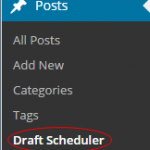
The ability to bulk schedule your blog posts makes a huge different in WordPress. You can already schedule a post without any issues, but if you have multiple posts you want to schedule, you need a plugin to help. Here’s how you can bulk schedule your WordPress posts. Using the Drafts Scheduler WordPress Plugin Before you do anything else, you will need to download the Drafts Scheduler Plugin for WordPress. Install the plugin and activate it, then you can find it under Posts>>Draft Scheduler within your WordPress Dashboard. When you click on this section, you will have a page that …
Can you Use Ctrl+S to Save and Preview in WordPress?

Using Ctrl + S is one of the most known shortcuts you can use on the keyboard. This shortcut makes it easy to save documents and other things in all types of programs. However, in WordPress, this shortcut isn’t available, which can throw off a beginner. Just because it’s not available, doesn’t mean there isn’t a way to save and preview your posts using Ctrl + S or Cmd + S for MAC users. Since WordPress has a very smart auto-save function, it’s not exactly necessary to use the Ctrl + S features. However, when the auto-save doesn’t work, you …
Five Top SEO-Friendly WordPress Themes to Use in 2015

SEO is an ever-changing thing, but with the right tools, you will always be prepared for the next change. If you use WordPress, it’s important to start with the right theme for your website. Without the right theme, you may be missing out on design and SEO benefits. Choosing the best SEO-friendly theme for WordPress can be difficult. There are many things you must consider when choosing the right theme including: A Responsive Design Fast load times Correct type of Coding Security Google Algorithm Friendliness Social Media Integration And More! A theme that allows your website to show up clean …
Which WordPress Themes are Great for Getting Started?

Finding a quality theme can be hard, especially if you’re new to WordPress. However, the right theme can make a huge difference with the way your site performs and the overall security. Here are a few great themes to get you started with your new WordPress website. Intergalactic This theme provides a one column layout and it’s very easy to use. The menu will automatically slide out when users need it, but hide when they don’t. If you plan to use your site for photography or showing off a portfolio of some sort, the Intergalactic theme is a great choice. …

Can you Move Comments from One Post to Another in WordPress?
Moving comments may not seem like something you will need to do that often, but it may pop up every now and then. If you create a new version of an old post in WordPress, you may need to move the old comments to the new post. This isn’t an easy task, without the right tools. Here’s how you can move a comment from one post to another in WordPress. Using the Tako Movable Comments Plugin for WordPress Before you do anything else, you will need to install and activate the Tako Movable Comments Plugin for WordPress. This plugin will …