

Can you Add Tabbed Content to a WordPress Page or Post?

Adding tabbed content to your WordPress website can make it easier for your readers to find what they are looking for. This type of content can be very easy to search through and very convenient for readers. Here’s how you can go about adding tabbed content in WordPress. Using the Tabs Shortcode and Widget Plugin for WordPress Start by installing and activating the Tabs Shortcode and Widget Plugin for WordPress. Once this is done, you won’t need to change any settings or deal with any configuration. Instead, you will have an option within the post edit screen. Just click the …
Can you Add Custom After Post Widgets to Your WordPress Website?

Have you ever wondered how other websites add different things after the post, such as a signature, author bio, related posts, social media share buttons and other things? Of course, if you use WordPress, you probably assume there is a plugin that helps this happen and there is one. If you want to add custom after post widgets to your WordPress blog, you will need the right plugin. Here’s a look at how this can be done. Using the Add Widget After Content Plugin for WordPress The Add Widget After Content Plugin for WordPress will help you display custom items …
Which WordPress Plugins are Necessary for 2015?

Finding the right plugins for your WordPress website is vital to your overall success. Without the best plugins, you may be spending time doing things that could be automated. You may also be missing out on SEO power and other functions that could be very helpful. Here are some of the top WordPress plugins you need for 2015. WordPress SEO by Yoast This SEO plugin has been at the top of the list for a few years now. It’s by far the best SEO plugin offers. If you want to make sure you have the best possible SEO with WordPress, …
Which WordPress Plugins are Best for Multi-Author Management in WordPress?

Managing a multi-author website or blog can be a daunting task. There’s so much to do from author bio boxes to making sure everybody stays on task. With the right WordPress plugin, you can easily manage a multi-author blog without issues. Here are some of the top choices for your management plugin. Co-Authors Plus Plugin for WordPress The Co-Authors Plus plugin allows you to assign multiple bylines for pages, posts and custom post types. You can do many different things with this plugin to help manage your multi-author website. Sometimes, more than one person contributes to a post or page. …
Which Free Author Bio Box Plugins are the Best for WordPress?

When you start a new blog, you need to create an author bio box. This is perfect for those looking to include more than one author or even those with just one author. The author bio box allows readers to associate the content on the blog with a specific person. You may need a plugin to make this happen. Here are some of the top choices for your free author bio box plugin for WordPress. WP About Author WordPress Plugin The WP About Author WordPress Plugin creates a nice author bio box with the option to add social media icons. …
What’s the Best way to Show a Live Link Preview in WordPress?

Showing a live link preview can be a cool trick to add to your site. Basically, when somebody puts the mouse over a link, it shows a preview of the page it leads to. This is done with a jQuery popup, which has a screenshot of the page. You can do this in WordPress with the right plugin. Using the WP Live Preview Links Plugin for WordPress Before you do anything else, you will need to download the WP Live Preview Links WordPress Plugin and install it. Once you activate the plugin, you will be able to access it from …
What Should you do if You want to Start a Podcast with WordPress?

Podcasts are very popular and have become a regular thing for bloggers. Starting a podcast may seem difficult and technical, but it doesn’t have to be. When you use WordPress, you can start your podcast much easier. Here’s how you can get started with a podcast on your WordPress website or blog. How do Podcasts Work? When you decide to start a podcast, it’s important to know how they work. They are basically an audio series and your users can download the files to listen. They can even subscribe to receive each new episode as soon as you post it. …
How can you Show Before and After Pictures on your WordPress Website?

Before and after pictures can be very powerful. Whether showing weight loss, muscle gain, a remodeling project or anything else, showing what something looked like and how you have made it better speaks to people. One of the easiest ways to create before and after images is with Photoshop. However, this isn’t an option for everybody and it can be quite expensive if you don’t already own Photoshop. Instead, you can use an interactive slide to show before and after images in WordPress. This will not only show off your pictures, but will also allow you to do so without …
How can you Add Interactive Maps to Your WordPress Website?
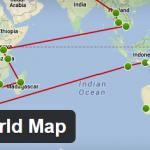
Since WordPress is often used by travelers and travel bloggers, an interactive map can be very helpful. Whether you’re planning a trip and want to show where you are going or you want to show where you already went, adding interactive maps can be very helpful. Using the Nomad World Map Plugin for WordPress Before you do anything else, you will need to install and activate the Nomad World Map Plugin for WordPress. This plugin will allow you to create a custom travel map for any type of trip. Once you activate this plugin, you will have a new menu …
Can you Unblock the Limit Login Attempts for your WordPress Website?
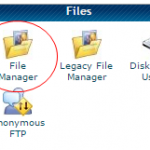
Many experts will tell you to install the WordPress plugin called, Limit Login Attempts. This plugin helps you keep out hackers, but it can lock you out if you enter the wrong password too many times. However, there is a way around this. Here’s how you can unblock the limit login attempts plugin, if necessary. The File Manager Method One of the fastest and easiest ways to is to use your cPanel File Manager and delete the Limit Login Attempts plugin from your WordPress website. Once you log into your hosting cPanel, you will need to find the “Files” section. …
