

How can you Get More Facebook Likes with your WordPress Website?

Everybody wants more likes on Facebook. There are very easy ways to get them with your WordPress website and you don’t have to buy them. Here are five easy ways to boost your Facebook likes with your WordPress blog and website. A Social Sharing Button with some Power There are numerous social sharing buttons you can add to your WordPress website. However, not all of them help you to get likes on Facebook and some will slow your site down like crazy. It’s not necessary to add an oversized sharing button or toolbar in every place you can on your …
How can you Allow your WordPress Users to Login with an Email Address?
Setting up your WordPress site so that users can log in with their email is very popular. This is a great way to add functionality to your WordPress website and can make a difference for your users. Here’s how you can change the way your site functions to include logging in with an email address. WP Email Login Plugin for WordPress Without doing much more than just installing and activating this plugin, you can add the functionality to your WordPress website. First, install the WP Email Login Plugin for WordPress. Once it’s installed, you can see how it will work. …
Can Titles on Some WordPress Posts be Disabled?
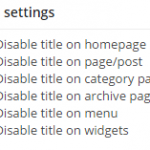
Do you have any desire to hide the title on some posts or pages on your WordPress website? This is something you can certainly do, if you have the right plugin. Disabling a title can help in many ways because it can allow you to format your post differently. No matter your reason, you can use a plugin to disable the title on any page, post, widget or other are of WordPress. Here’s how you can disable titles in WordPress. Using the Disable Title Plugin for WordPress Before you do anything else, you will need to install and activate the …
Can NoFollow Links be Added to the WordPress Navigation Menus?
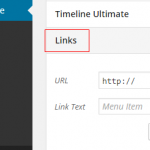
Nofollow link tags are very important for different types of external inks. Many WordPress users want to add this attribute to links found in the navigation menu and it’s possible. Adding the nofollow attribute to a regular link in WordPress is simple. However, the process of adding this attribute to the links in your navigation menu is a bit more involved. Here’s a quick guide to help you add the nofollow attribute to your WordPress navigation menu links. The first step is to add external links to your navigation menu just like you would add any regular custom link. Go …

Is it Possible to add a Notepad within Your WordPress Dashboard?
If you want to be able to write notes to your writers in WordPress, adding a quick Notepad can help. This type of took can make communication much easier within the WordPress dashboard. You can leave yourself notes or write notes to other users. Here’s how you can add Notepad to your WordPress dashboard. Using the Dashboard Notepad Plugin for WordPress You will need to install and activate the Dashboard Notepad Plugin for WordPress before you do anything else. Once the plugin has been activated, you will have the ability to access it from the bottom of your screen in …
Is it Possible to Change the Avatar’s Shape in WordPress?

Have you ever seen a site with a different shape avatar? Maybe the actual background and border were a different shape or the head was a different style. If you want to make your WordPress site a bit different, a custom avatar is the way to go. You can tweak the CSS code to make this happen, but that can be a very difficult process. Instead, there is an easier way. Here’s how you can change the shape of your Avatar in WordPress. Using the Avatar Shaper Plugin for WordPress The Avatar Shaper Plugin for WordPress is the easiest way …
Which Twitter Hacks and Plugins are the Best for WordPress?

Combining the power of Twitter and WordPress can be a great thing. There’s so much you can do with both, but you will need the right hacks and plugins. Here’s a look at the top Twitter plugins and hacks for WordPress. Buffer Buffer is one of the best Twitter tools out there. It’s used by all types of bloggers and allows you to schedule your social media updates, such as tweets. You can use the app to schedule your WordPress posts for your social medial provides, as well. This can all be done weeks in advance, which makes it much …
Can you Easily Replace Media and Image Files on your WordPress Website?
Sometimes it’s important to update media files or images for your WordPress website. When this is the case, you need an easy way to replace them without interrupting your website. It can seem tedious to go through each image, upload a new file, rename it and put it in the post where it needs to go. However, this isn’t the best way to replace a media file or an image in WordPress. Here’s a better way. Using the Enable Media Replace Plugin for WordPress The Enable Media Replace Plugin for WordPress is the easy answer to this issue. This plugin …
Is it Okay to Install WordPress Plugins Never Tested with Your Current Version?

Many WordPress users don’t know whether they should use a plugin with the warning saying it hasn’t been tested with the current version of WordPress. This is an important issue, as it could cause issues on your website, if it doesn’t work with your version of WordPress. Here is what you should know about using untested WordPress plugins. Where does the Not Tested Information Come From? WordPress provides the largest repository of free and open source plugins within the WordPress Plugin Repository. When an author of a plugin submits it to the repository, they have to submit a “readme” file. …
