


The beta version of WordPress 4.5 is already available to be tested through the WordPress Beta Tester. It’s a beta release with all the expected new features of the real version when it comes out. Not all of the features may end up in the final release of WordPress 4.5, but there won’t be anything else added to the list.
It seems like WordPress is constantly updating the platform and they are. Sometimes updates are about security or bugs, but this time it will include plenty of new features or improvements to current features.
Some of the new features we may see in WordPress 4.5 are found below.
Improvements to the Visual Editor
Many users spend most of their time in WordPress creating content, so WordPress usually releases updates with this in mind. WordPress 4.5 is expected to bring some necessary and helpful improvements to the visual editor.
Inline link editing is one of the potential changes, which will help content creators save time. It will allow the users to press CTRL+K and insert a link into a post.
Other shortcuts for inline text were introduced in WordPress 4.3 for formatting. WordPress 4.5 will allow even more shortcuts, such as ‘code’ for actual code and *italic* and **bold** for easy formatting. Of course, these shortcuts can be disabled, as well.
Customizer to Include a Responsive Preview
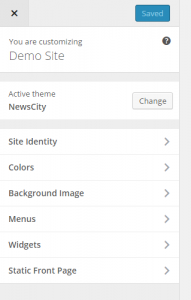
Another very cool addition to WordPress 4.5 is the responsive preview you get from the customizer. This allows you to see what your site will look like on a desktop, tablet or smartphone. You will be able to better set up your site for the right formatting based on the different viewing options.
Support for Theme Logos
Adding a logo to your theme through the customizer has been a feature many have asked for and it’s coming with WordPress 4.5. Many premium themes allow this option already, but not all do, until now. You will be able to choose the size and logo you want without much issue and most themes will support this option now.
A Better Moderator Comment Screen
Moderating comments is a big deal in WordPress. This is time consuming and something many have to do to keep the spam at bay and real commenters active. WordPress currently sends email notifications with a new comment and you can easily approve, trash or mark them as spam. However, you cannot edit the comment or see the formatting from this screen.
WordPress 4.5 will allow you to see the improved screen, which will include formatting and the ability to edit the comment.
Email Address Login for Users
Keeping track of a large number of usernames isn’t easy when you have multiple WordPress sites you run or manage. However, with the new feature, you won’t need to. You can simply login with your email address instead of the username.
Better Image Size Generation
Responsive images were introduced in WordPress 4.4 and they are going to get better. This feature helps to save money on data plans and improve the performance of websites. With WordPress 4.5, this will get even better with the ability to reduce images without losing quality.
Features for Developers
 Along with these changes, a handful of features will be coming for developers including:
- Customizable Embed Templates
- Script Loader
- WP_Site Class
- Selective Refresh in Customizer
These changes will certainly make WordPress better for all users.
