

Can Swiftype Search Help to Improve WordPress Search?

Allowing users to easily search your website is very important. Most WordPress blogs outgrow the provided search feature rather quickly. There are many ways to add a custom search to your WordPress website, such as using the custom Google search for Swiftype Search. Both of these are viable options. Let’s take a closer look at how to use Swiftype Search to improve your WordPress blog search. What Exactly is Swiftype Search? Swiftype provides a search service and the company specializes in analytics and site search. It can be used by anybody and installed on any type of website. Once installed, …
Can Users be Redirected Once they Login to WordPress?

Redirecting WordPress users to a different page once they login can be very helpful. This can not only be done, but it can also be done based on the role of the user logging in. Here’s how you can go about redirecting users when they log into your WordPress blog or website. using the Peter’s Login Redirect WordPress Plugin Start by downloading, installing and activating the Peter’s Login Redirect Plugin for WordPress. Once you have installed and activated the plugin, you can access the settings within the Settings>>Login/Logout Redirects section of your WordPress Dashboard. This section will allow you to …
Which Category Hacks and Plugins are Most Wanted for WordPress?

There are many category plugins and hacks perfect for WordPress users. Narrowing the list down to just a few of the top choices isn’t easy. However, here are some of the top Category Hacks and Plugins for WordPress. Category Icon Adding in WordPress With the right images representing your categories, your WordPress website can stand out much better. With the Taxonomy Images Plugin, you can add icons to your categories. Just download and install the plugin, then go to the Settings>>Taxonomy Images section in your WordPress dashboard. Once you change the setting, you can go to the Post>>Categoriessection and click …
What Should You do if You Need Pretty Pricing Tables for WordPress?
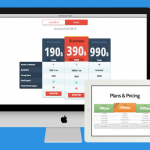
If you need to create pricing tables in WordPress, you probably want to make them look really good. However, this can be a challenge, if you don’t know how to do your own coding. Since the visual post editor doesn’t provide a pricing table generator, you have to either create them yourself or find another way. Using a plugin always seems like a good solution, but most of the WordPress plugins for tables are simply not designed for pricing tables. Here’s a better solution to help you create awesome pricing tables for your WordPress website. Using the Easy Pricing Tables …
Is there a Way to Automatically Share Old Posts in WordPress?

Sharing old blog posts can give them new life. Sometimes, when a season rolls around again or you just want to boost the visitors to a specific blog posts, sharing it on Facebook, Twitter, LinkedIn and other social sites can help you reach your goal. There are many benefits that come along with sharing your old blog posts, but it’s a tedious task to do manually. Here’s how you can do this automatically instead of going into each posts and sharing it across social media sites again. Using the Revive Old Posts WordPress Plugin With the Revive Old Posts WordPress …
Can you Track How Users Scroll on Your WordPress Website?

Tracking the scrolling of your users on your WordPress website can help when creating landing pages and other pages. Sometimes lengthy landing pages don’t get scrolled in the way you would hope and they need a few changes. Understanding how much users actually scroll can help in many ways. Using Google Analytics is a start and can help you see the scroll depth activity of your users. However, there is another way to understand how these users scroll. Using the WP Scroll Depth Plugin for WordPress Before we get into using the plugin, you will need to install Google Analytics …
Can you Make All your Image Filenames in WordPress Clean?

Making the image filenames for your WordPress website clean is very important. The search engines will use these clean file names to help users find your images and ultimately your website. Along with the search engines using the names, when you use names that have uncommon characters, they may not be read properly in the browser. Whether you’re the only one uploading images or you’ve allowed other users to do so, too, using clean images makes a difference. Here’s a quick and easy way to ensure all your image names remain clean. Using the Clean Image Filenames Plugin for WordPress …
Can you Enforce Using Just One Category Per Post in WordPress?

If you manage many authors and you don’t want to allow them to choose more than one category for each post, you need the right plugin. There are benefits to ensuring categories are limited to just one per post. Here’s how you make this possible. Using the Category Metabox Enhanced Plugin By using the Categories Metabox Enhanced WordPress Plugin, you can actually eliminate the possibility of authors selecting more than one category. Start by downloading the plugin and installing it within your WordPress Dashboard. Once you’ve installed and activated the plugin, you will find the options for it under “Settings>>Categories …
Can you Automatically Notify Users of Comments Being approved in WordPress?

Holding comments on your WordPress blog posts for moderation is important. However, WordPress doesn’t give you a way to notify users when you approve the comment, at least not within the basic installation. There is a way to make this happen, though. Using the Comment Approved Plugin If you want to let your users know when you have approved a comment, the Comment Approved WordPress Plugin is the right choice for you. Once you have installed and activates this plugin, you will find the settings in the “Setting>>Comment Approved” menu of your WordPress dashboard. Within the area for the “Comment …

Which WordPress Plugin Helps you Display Top Commenters?
Displaying your top commenters for your WordPress blog is a nice way to provide a little recognition. Blogs do this to get more people to comment and it doesn’t have to be coded into WordPress. You can display your top commenters in your sidebar with the right plugin. Here’s how it can be done. Using the Top Commenters Widget Plugin Download and install the Top Commenter Widget WordPress Plugin. Once the plugin is activated, you will be able to access it through the Appearance>>Widget area of your WordPress dashboard. To use the widget, you can simply drag and drop it …