

Those looking to actually publish videos online often choose WordPress because of the many powerful options that come along with it. Sometimes, it can be hard to find the right way to add remote media libraries to your WordPress site. Here’s a look at how to do this and do it with easy.
The Remote Media Libraries Plugin
Using the Remote Media Libraries Plugin will help you add the media libraries you want to add. Simply install and activate this plugin and you will get a new section under “Media” called “Remote Libraries.”
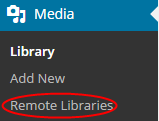
After you have this menu, click on it and use the “Add New” button to add a new remote media library.

Once you click on the “Add New” button, you will be taken to another page, which will allow you to set up your Remote Library. You will want to give the library a title.
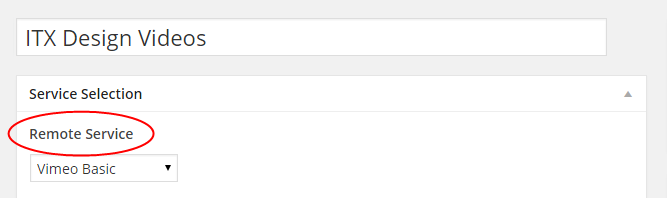
You will also get the opportunity to change the remote service to YouTube, Dailymotion, Flickr or Vimeo. Once you have selected the remote service you want, you can publish your new Remote Library. You will also have to add your User ID for the remote service you selected below in the “Account Settings” section.

After you connect to your remote media library, you will see a new library link in the sidebar. Click on this link and you can choose videos from your library to add to your WordPress website.
Just select the file you want to use and it will automatically find the title and description for you. Click on the insert into post button and you will be all set.
This plugin allows you to connect your WordPress website to many remote media libraries. It’s expected to add Photobucket, Vimeo Pro, Twitter, Instagram and many others in the future.
