

A Beginner’s Guide and Introduction to the Basic WordPress Dashboard – Part One
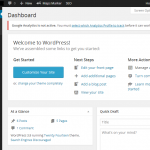
Sometimes it can be hard for veterans to WordPress to remember all the way back to when they started, especially those that remember the 1.xx versions of WordPress. This very powerful blogging and website development platform can be very confusing for beginners. This post will introduce you to all the basic sections of a WordPress dashboard. How the WordPress Dashboard is Organized When you first login to your new WordPress website, you will log into the dashboard, which is also referred to as the admin area of your blog or site. You will see a page that looks similar to …
Can You Schedule a Sticky Post to Expire in WordPress?
Recently, a question was asked by a WordPress beginner, on our blog. It took a little digging, but we’ve found the answer. One of our users was curious to know if it’s possible to schedule a sticky post to expire. You can find out more about sticky posts and view the comments, here. Why Would You Want a Sticky Post to Expire? The most popular reason to use a sticky post and let it expire involves some type of sale or discount. Maybe you run a business selling goods or services to your visitors. If you wanted to offer a …
Can you Add Buttons to a WordPress Website Without Using Shortcodes?

Since many of the WordPress and blogging beginners don’t know much about CSS, HTML and other coding languages, plugins make customizing a website much easier. Most of the plugins use shortcodes to make it easy to add buttons to your WordPress website. This is a great way to go, but there’s an easier way. With the release of WordPress 3.9, a new plugin was created and added to the directory. It’s called “Forget About Shortcode Buttons” and you will need to update your WordPress website to 3.9 or higher to use this plugin. Download the plugin here, Forget About Shortcode …
Can You Disable Automatic Updates in WordPress?

WordPress brings out many new updates every year. Some updates are very small, while others are large changes. Most have something to do with security and it’s a good idea to keep your site up-to-date. However, you may be using a theme or plugins that are not compatible with the new updates. As WordPress updates, most theme and plugin developers will update, as well. This can take time and you may not want to use automatic updates for this reason. If you’re not ready for the new functionality of a WordPress update, you may not want to allow it to …
Adding a Favicon to Your WordPress Website

If you’re not familiar with what a favicon is, it’s the small icon that appears next to your website title in your browser. If you don’t have one, it may just look like a piece of paper with a bent corner. However, you can add a favicon to your WordPress blog and give it a little more of a professional look. What does a Favicon do for Your Website? Adding a favicon may seem like a very small thing and the image itself is small. However, the impact it has is very large. Many websites, such as Facebook, Twitter, Google …
Can You Change the Number of Posts Displaying on Your Blog Page in WordPress?
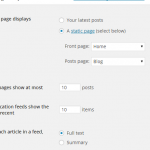
When you create a custom blog page it will show your most recent 10 posts, by default. You can make a few posts sticky posts, which will put those posts at the top of the page. However, you can also change the number of posts displaying on your blog page. This is a pretty easy process and one of the easier things to do in WordPress. However, before we get into changing the number of posts, it’s important to understand what a higher or lower number may cause. If you choose a number higher than the default display of 10 …
Characteristics Of A Great Blog Post
The word is out that blogging is a powerful traffic generation tool for businesses, individuals, and non-profit organizations. Blogging has become an essential part of social media marketing because it helps companies put a face to their name and spread the word about their unique products and services. Along with the rise of legitimate bloggers, untold ‘auto-blogs‘ have also arisen. So how can blogs differentiate themselves in a world filled with so much similarity? This article takes a look at the characteristics that make up a great blog post. Vital Information This is one of the most difficult characteristics to …
A Quick Guide to Adding a Caption to Your Images in WordPress
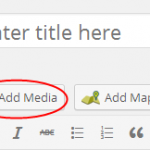
If you’ve ever seen a site that adds a small text caption to their images, you may be wondering how to do this for your own WordPress blog. This is a built-in function found within the WordPress dashboard. It’s pretty easy for anybody to add a caption to an image. Here are the instructions you need to make this happen. Adding Captions to Images in WordPress First you will need to either upload your image in the medial library or within the post or page you’re working on. The easiest way to do this is by adding the image within …
Can You Link the Post Title to an External Link in WordPress?

Have you come across a helpful resource you’d like to simply link to from your WordPress blog title? When this happens, beginners may not know how to make this happen, but it is possible to link the post title to an external link in WordPress. You will be using a custom filed hack to allow your WordPress blog to link to an external resource from the post title. This will allow your readers to click on the title and find the resource you want to share. You may want to create a “resource” category or section on your blog specifically …
An Easy Way to Embed Bing Maps on Your WordPress Blog

Adding Bing Maps to your WordPress website makes a lot of sense and you may not know how to go about doing this. If you’ve decided you want to use these maps over the Google Maps, which can also be embedded in WordPress, you need to know how to add them to your blog. Here are the instructions you need for adding Bing Maps to your WordPress website. How to Add Bing Maps Without a WordPress Plugin You can easily embed Bing Maps in WordPress without the use of a plugin. Start by visiting the Bing Maps website and searching …
