

Which Plugins are the Best for Appointment Setting with WordPress?

If you use WordPress and you want to allow visitors to book appointments directly from your site, you need the right plugin. This can be helpful for a number of businesses, such as hotels, hair salons, dentists, consultants and others. Here’s a quick look at a few of the top WordPress plugins for appointment setting. Booking Calendar One of the oldest WordPress plugins for appointment setting, Booking Calendar provides an easy to use choice. It’s very simple and easy for both you and your visitors. You can add an appointment form to any post or page in WordPress and this …
What Type of Competition Does WordPress Have?

WordPress may be the largest publishing platform and CMS out there, but it’s not the only one. Even though more bloggers and companies prefer WordPress over any other platform or CMS, it can be helpful to know what the alternatives are. Here are some of the other choices out there competing with WordPress. Ghost With WordPress going in a bit of a direction away from blogging as the core, some users felt it was necessary to create a blogging software. This is how Ghost came about. It’s a NodeJS based software entirely focused on blogging. Drupal A very popular CMS …
Which WordPress Plugins Work With PayPal for Accepting Payments?

If you want to be able to accept payments through PayPal, you need the right WordPress plugin. Since this is one of the most powerful ways for website owners to accept payments, proper integration is a must. Here’s a look at some of the top plugins perfect for accepting PayPal payments with WordPress. PayPal Payment Shortcode An easy-to-use plugin perfect for those using WordPress and PayPal, PayPal Payment Shortcode provides just what you need. You can easily add a PayPal button with the WordPress shortcode. After configuring the plugin, it will act as a shortcut to set up your payment …
Which Plugins are the Top Choices for YouTube Publishers?

If you are a YouTube Publisher, the right plugins for WordPress can make a big difference. You may be using your WordPress website to share videos, add written content for the video and for many other reasons. Here are a few of the plugins you may want to use to make the process much easier. YouTube Upload Widget The YouTube Upload Widget is a great addition for your WordPress website. This plugin will allow you to record and upload your videos from WordPress. It will access your webcam and provide an easy way to connect WordPress with YouTube. YouTube Subscribe …
How to Create WordPress Redirects Quick and Easy
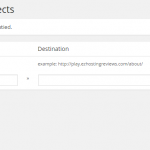
If you need to create redirects in WordPress, you may not be sure how to do this. As a beginner, there are many things you may not know how to do, but with this quick tutorial, you will know how to create redirects easily. Here’s how it’s done. What is a Redirect? Before you create a redirect, it’s a good idea to understand what it is. A redirect is a way for your website to send a message to the browser of a visitor letting them know the page they are trying to view has been moved. It will automatically …
What Should You Know Before You Purchase a Premium WordPress Theme?

Using a premium theme for your WordPress website comes with many advantages compared to free options. There are many to choose from and each one may be customized to fit specific needs. Finding the right premium theme and purchasing it doesn’t have to be a difficult task. If you’re looking for the ability to stand out from the competition, gain better security and you desire a higher quality product, a premium WordPress theme is for you. Here are some of the things you should know before you make your purchase. Where can you Find Premium Themes for WordPress? Finding premium …
How can you Improve Posts and Pages with a Few Little Tweaks?
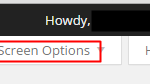
Every WordPress website owner knows how important posts and pages are to their success. These two sections get used more than any other on a WordPress website. Here are a few things you can do to improve both areas of your WordPress site. Changing the Options in the Editor If you’re new to WordPress, you may not be familiar with the “Screen Options” tab found within both the post and page edit screens. This tab allows you to change the on page options used to edit the post or page. It will give you all types of options to choose …
How can you Quickly Change your WordPress Database Name?
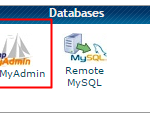
Keeping your WordPress database safe and organized is quite important. It holds all the information for your site and should be named in a way to make it easy to keep track of everything. When a new WordPress database is created, you often get a default name, such as db_wordpress123. However, changing it to db_mysite can help you keep everything organized. This is even more important if you run multiple WordPress sites. If you need to change your WordPress database name, it can be done in less than 10 minutes. Here are a few easy steps to make this change. …
Which WordPress Plugins Benefit E-Commerce Sites the Most?

If you plan to build your e-commerce website with WordPress, it’s important to know which plugin are the best choices. Since WordPress has become one of the top all-around solutions for content management, it can easily be used for an e-commerce website. However, specific plugins will add to the functionality and the look of your site. Of course, it takes more than WordPress and a few plugins to run a successful e-commerce website. You want to make sure your website stands out and with the right dynamic and interactive content, you can provide a better user experience. Here are some …

Should you Use Facebook Comments on your WordPress Site?
If you want to add Facebook comments to your WordPress website, you will need to understand what this is all about. Some of the top websites out there use Facebook comments for WordPress. This is a great way to allow people to interact on your site. However, there are some advantages and disadvantages. Advantages and Disadvantages of Facebook Comments for WordPress The most obvious benefit of using Facebook comments is the ability to create more visibility for your website. When somebody leaves a comment on your site, it will be shared on Facebook with their friends. This can create incredible …