

Sometimes, when we add the many cool things widgets allow us to add to WordPress, we end up with a sidebar much longer than the content. This isn’t always attractive and can leave quite a bit of blank space. However, there is a way to automatically make the height of your sidebar match with the content.
Using the SidebarAutomizer plugin
It starts when you decide to install and activate the SidebarAutomizeer Plugin. This plugin will allow you to match your sidebar height with your content height.
This plugin will add a new menu under Settings called sidebarAutomizer.
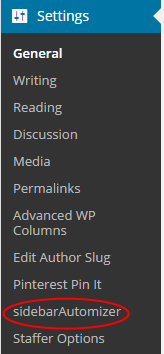
Once activated, you can use the “sidebarAutomizer Settings” menu to make the necessary adjustments.
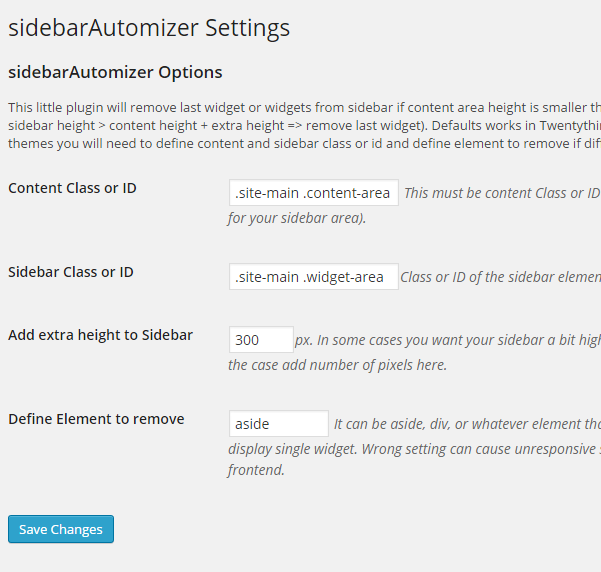
By using the div ID or Class, you can change he height of your sidebar automatically. Each theme has a different value for these settings, which is why this plugin won’t be able to auto detect them. However, you can easily find the values by opening your website in Google Chrome and right clicking anywhere on your website. Select the “Inspect Elements” option from the menu.
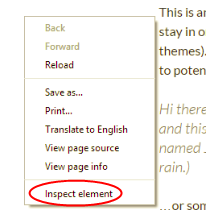
You will now have three sections to your screen. The bottom left is where you will find the HTML code for our page. When you move the mouse throughout this section, it will show which code is controlling each area of your page. You will need to do this until you find the div with the main content area settings.
This div will also use the ID primary and class site-content or main-content. You will also need to follow the same steps for the widget area or sidebar of your website. Once you know which IDs is being used, you can use the SidebarAutomizer plugin to automatically make adjustments.

Now you should be able to automatically adjust the content area and the sidebar of your WordPress website to match in height. This will help to eliminate the empty space when you have a sidebar that is taller than the content.
