

Creating a quiz for your WordPress blog can be both fun and allow you to find out what your readers want. It’s a great way to engage with your visitors for educational purposes, entertainment and for many other reasons. Here’s an easy way to create a quick for your website.
Using Gravity Forms to Create a Quiz in WordPress
As one of the best plugins for forms on the market, Gravity Forms is a great choice for creating your quiz. However, this is not a free plugin and to create a quick, you will need the Quiz Add-on.
This add-on is free for those with a developer license for Gravity Forms.
This add-on will allow you to do many things. Once installed, it will show up in your WordPress dashboard under Forms. If you click on “New Form” you will be taken to the Form Editor, which includes the Quiz add-on. Click on Quiz and you can start creating your new quiz.
A Free Quiz Plugin for WordPress
Even though Gravity Forms is one of the best plugins, not everybody wants to pay to be able to create a quiz. The Wp-Pro-Quiz plugin is another good way to create your new quiz and this is a free WordPress Plugin.
Once you install the plugin, you will get a menu called “WP-Pro-Quiz” and you can access the plugin from here.
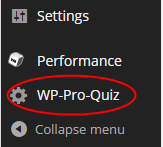
Once you click on this option, you can use the “Add Quiz” button to create your first quiz.
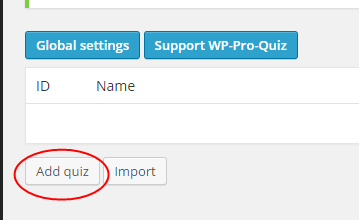
The first thing you will want to do is add a title for your quiz.
After you add a title, you can go through the many options to customize your quiz settings. The Question-Options section will allow you to show points, answers, incorrect message, correct ad incorrect answer marks and many other things for the questions within the quiz.
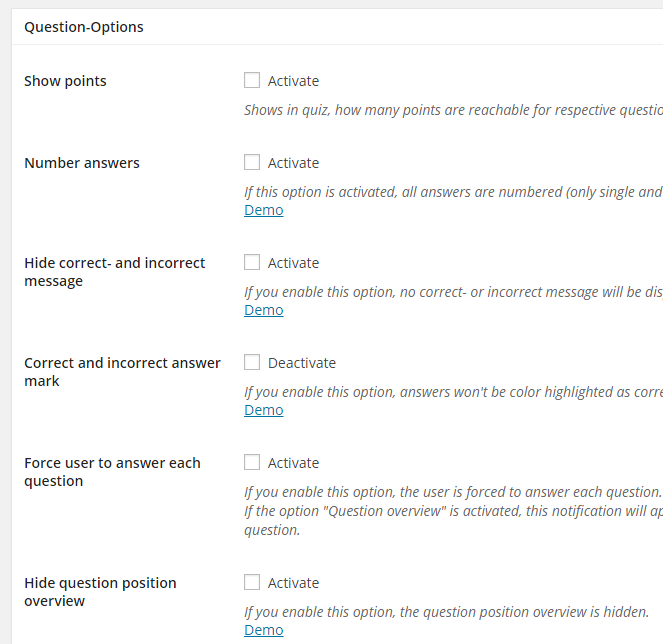
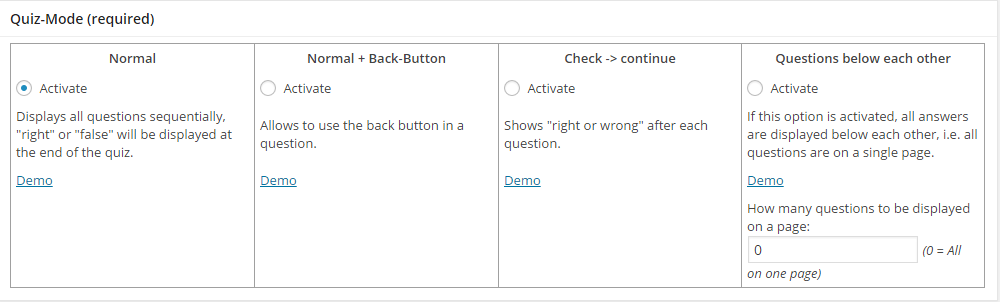
You can also decide to change Result-Options, which include average points, category points and other options. Below this option, you can also change the Quiz-Mode, which is a required option. Each choice comes with a demo and you can choose the one best fit for your quiz.
There are many other options you will be able to change and you can even add a “Quiz description” towards the bottom of the screen. This is required to create your quiz.
After you create your quiz, you will need to go back to the main menu of the plugin to get the short code and add questions. The section to add questions is found under the title of your quiz. Just click on questions and you will be taken to a page that looks like this:
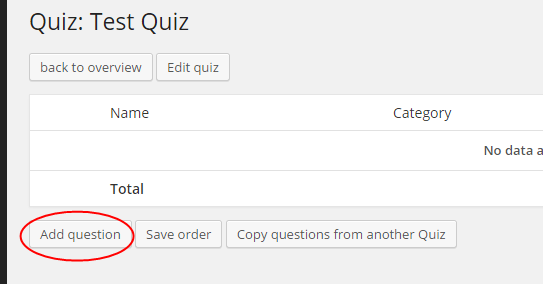
Click on the “Add Question” button and you can add your question, along with how many points it’s worth and a category, if you prefer. This section will also allow you to add a response for a correct or incorrect question, along with a hint.
You can even choose the format for your answers for the question.

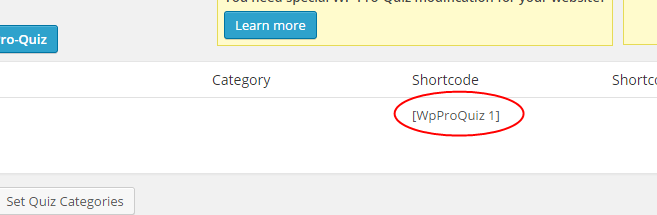
After creating all your questions and putting in all of the answers, you can add the quiz to any page or post with the shortcode. The shortcode for your quiz is found back on the main menu for the plugin.
You will also be able to preview your quiz and see the leaderboard and statistics from the main menu. All of these options can make it very easy for you to see what is going on with your quiz after it has been on your website for a little while.
The leaderboard will show those that have answered the most questions right, while the statistics menu will show different statistics from your quiz. The statistics option will need to be activated from the “Edit Quiz” screen.
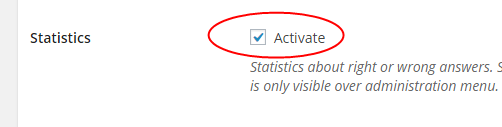
This will help you to gather information about each question and how many have answered it correctly or not correctly.
Whether you choose to use the Gravity Forms plugin or you choose the free WP-Pro-Quiz form, you can create a beautiful and fun quiz for your WordPress website. This will help you to engage readers better and even collect data for future posts.
