

How to Setup FeedBurner for Your WordPress Blog

FeedBurner has become the most popular way to burn an RSS feed because of the many features provides and the price, which is free. This tool is owned by Google and provides feed optimization, feed publication, statistics and so much more. You can even use it with Google Analytics. It’s a necessity for any blogger using WordPress. What Does FeedBurner Provide for Bloggers? This free service provides plenty of great features for bloggers. Features include: RSS Subscriber statistics Optimization for your blog posts Multiple ways for subscribers to sign up Social proof Ping options for feed-reading services Easily use Google …
The Easiest Way to Embed Videos in WordPress

Adding videos to your WordPress blog adds a bit of new life. We all have our preference for receiving content, whether written, video or audio. A short video can certainly make your blog stand out, however. Here’s a quick guide to help you embed videos within your WordPress blog posts. How to Add Videos to Your WordPress Blog After you find the video you want to embed into your WordPress blog, the process of doing it is very simple. Just paste the URL into the content area. It doesn’t matter if you add the link to the “visual” or “text” …
A Quick Guide for Moving a Blog from WordPress.com to WordPress.org

If you started your blog on WordPress.com because it was free, but now you want to move over to WordPress.org, you need to know how to do this. WordPress.com is great, but it doesn’t allow you to do as much as WordPress.org allows. With WordPress.com, you cannot install plugins, a custom theme and really monetize your blog in the same ways as you can with WordPress.org. What Should you do First? Before you decide to move your blog from WordPress.com to WordPress.org, you will need to find a good hosting company, such as ITX Design. You will also need your …
Can You Create a Q&A Site with WordPress?

If you’ve thought about creating a question and answer website similar to Yahoo Answers or Stackoverflow, you can do this with WordPress. In fact, WordPress may be the best content management system (CMS) for the job. With the right tools, you will be able to create an entire site dedicated to just questions and answers. You will need a specific WordPress plugin to make it possible to create your Q&A site. This plugin is called the DW Question Answers plugin. Using the DW Question Answers Plugin Once you’ve installed and activated the plugin, you will be able to set it …
A Beginner’s Guide to XML Sitemaps in WordPress
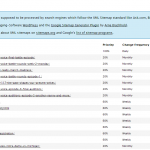
Sitemaps started in the early 2000s with government sites. They would use this specific page as an index of all the pages on their website. Today, sitemaps are used in a similar fashion, but they are more for the search engines than actual site visitors. What is an XML Sitemap? The sitemap for your WordPress website is a list of all the pages and posts found on your actual website. Every time you add a new page or post to your website, the sitemap will be updated. This helps Google, Bing, Yahoo and other search engines to find your content. …
The Easiest Way to Add an Image Gallery to a WordPress Blog

Adding an image gallery to a WordPress blog doesn’t have to be difficult. Even a beginner can follow the instruction to create their own gallery of beautiful images. You may have searched for a plugin to create your gallery and there are plenty of choices, but you don’t need a WordPress plugin to create an image gallery. How to Create an Image Gallery in WordPress The first setup in creating your image gallery is to create a new blog post. Simply log into your WordPress dashboard and go to Posts >> Add New. You can also add the image gallery …
How to Fix Some of the Most Common WordPress Errors

Even though WordPress is one of the largest content management systems online, there can still be errors. When these errors come up, the good thing is, there are plenty of places to find the information needed to fix common WordPress errors. Before you try to fix any error, make sure you fully back up your WordPress website. This will ensure you have everything you need before you try to fix the error. 404 Post Error WordPress will sometimes show a 404 error page when somebody tries to access one of your posts. When this happens, you need to know how …
Why is a Gravatar Something You Should Start Using Immediately?

New WordPress users have quite a bit to learn and it often happens as they discover different parts of this powerful CMS. One of the things many beginners discover is the grey icon, which is called the “mystery man” Gravatar. This brings up the question, how do you get rid of this Gravatar? Before we get into how to get rid of the “mystery man” it’s important to understand a bit more about the Gravatar What is a Gravatar? A Gravatar is the small, thumbnail picture used to represent an author or a person online. It can be a picture …
How to use Categories and Tags Properly for WordPress SEO

Often, internet marketers, bloggers and webmasters discuss whether tags or categories should be used for better SEO with WordPress. Understanding what both of these are and how to use them, will help you get the most out of your WordPress website. What are Categories? Categories are used, within WordPress, to group your posts. They provide a table of contents for your site and general topics for your blog posts. With categories, you can help the user find the type of content they are looking for, on your website. Categories can even be split into sub-categories. What are Tags? Tags, on …
Pages vs. Posts – What’s The Difference in WordPress?

WordPress beginners often become confused when it comes to pages and posts. These are the two types of content found within the WordPress content management system. Understanding the difference between the two, will help you move forward with your project. For most websites, both pages and posts are very important. Pages and posts give you different, yet important benefits for search engine optimization and the overall user experience. Below, you will discover the difference between pages and posts in WordPress. What are Pages? Pages are “static” content used for product reviews, company information, contact information, policies and other types of …
